Kurt Cobain: A Beautiful and Tortured Soul

Four years. That is essentially how much time we had with Kurt Cobain. Nirvana released its first album in 1989 and it’s third and final in 1993.

Last night I watched Kurt Cobain: Montage of Heck, the documentary about the Nirvana front man and 90s alternative rock icon.

I hesitate to use the word icon. And not because I don’t think Cobain is deserving of the label. In fact, I, along with many others view him as one of the catalysts for ushering in a new genre of music. Grunge came at the right time, just as music culture was getting over it’s fill of heavy metal and hairbands.

I hesitate to use the word icon, because after watching the film, I realize that label may ultimately be what caused his death. That the pressure of being a voice of a generation is what drove him to suicide. 

From what I saw, all he wanted out of life was a stable family environment and a platform to release his creative energy. That is what is so sad about this. That he became so great, but it ultimately led to his demise.

Four years is all he had.

So I ask, would you rather showcase your art to a limited audience for a lifetime; or for millions for a limited time? 

In this case, four short years.

Take It? Or Leave It? How to Find The Right Job

Deciding on when to accept a job comes down to three questions

Making a decision on a job prospect is rarely easy.

Making a decision on a job prospect is rarely easy.

We’ve all been there. When we have a job, gig, opportunity or payday staring us right in the face. Some days saying yes to a job is easy as saying yes to yet another slice of pizza (because there really is never too much pizza). But sometimes, for whatever reason, saying yes is a struggle. Or maybe saying no is the difficult part. Why?

Is the pay not what you were hoping for? Does the outward appearance of the opportunity not seem enjoyable? Does it look like you are just going to be bored if you do take it?

It could be any or all of these. And the way to figure it out is to ask yourself these three questions.

  1. Will this job challenge me?
  2. Will I enjoy this job?
  3. Will this job pay me what I am worth?

Before going any further, I must credit this topic to Erin Youngren, one-half of the San Diego-based wedding photography team, The Youngrens. I was watching a webinar she was giving about how wedding vendors should focus on finding their ideal clients and the way to go about doing that. She brought up those three questions as a best practice methods to finding that ideal client.

These questions really stuck with me because they are perfect to consider for independent contractors, the self-employed and even for those seeking a “traditional nine to five” job

Reason being, we would all love to work with our “ideal clients” 100% of the time; or work for a company that is ideal for us, but the reality is … reality. We have bills to pay, creative energy that needs to be exercised and a yearn to feel fulfilled.

Enjoying a job where you are being creatively challenged and being paid for that is the nirvana we strive for. However, we can’t always bat three for three.

But if you can answer "yes" to two of those three aforementioned questions, then that job just might be worth taking.

Here is a look at the three possible combinations:

Combination #1: Fueling Your Soul
A job that is challenging and fun, but doesn’t pay much (A + B)
These are the type of jobs we volunteer for because we believe in the cause or enjoy being with the people we are working with. It satisfies our soul, but not our wallet. These opportunities should complement paid opportunities and when handled correctly can facilitate potentially important connections.

Combination #2: Show Me The Money
A challenging job that pays well but is not enjoyable at all.  (A + C)
Sometimes the pay is just too good, and maybe the potential job has nuances that will challenge you and help you learn new skills. But never do it “just for the money,” because you will almost always regret it.

Combination #3: The Status Quo
A job that is enjoyable and pays well but is not challenging (B + C)
What’s not to love about getting paid to do something? But you need to be careful and selective about these jobs, because eventually you could get stuck in the inevitable feeling of complacency.

I think about the opportunity I had to DJ at a 50’s style diner. I grew up listening to my oldies music because that’s what my parents listened to. So getting paid to take the role of a 50s era radio DJ while getting a free meal during my shift seemed great. But then I realized the monotony of it. Eventually, I would just feel like I was just clocking in, clocking out? I knew it was unlikely to challenge and persuade me to learn new skills.

Conclusion
Until I heard Erin mention these questions, I’m certain I had not consciously asked those questions myself. In fact, it is likely I focused on one when considering a job. The key takeaway for me, and all of you, is to take on a mix of these combinations. 

We need to earn a living, but it should not be at the expense of shying away from your values or falling into the trap of complacency.

Finding the perfect job or the perfect client doesn’t happen by waiting for it or for them to show up. It happens by engaging in and deciding which ones are right for you when opportunities present themselves.


Using Folders Within Virtual DJ - Tips & Tricks

Deciphering the differences between Filtered, Favorite and Virtual folders in Virtual DJ

Perhaps the most important feature of any DJ software is the potency of its file management system. Yes, you can always search for a track you need, but that’s not how DJs work. Many times I have a song in mind based off what I am currently playing; a certain genre, tempo, artist, etc. It’s at these times that it’s nice for me to see a list of related songs to give me an idea of what I want to play next.

The folder system within Virtual DJ is extremely powerful and when used correctly is truly the powerhouse of my workflow.

Folder Types: Virtual vs. Filtered vs. Favorite
Before diving into the organizing of your music within VDJ, it’s important to understand the difference between the three folder types within the program. They each serve a specific purpose and have certain advantages depending on their use.

All of these folders are essentially “baskets” that we can place our music into. So I’ll use this analogy as I describe the differences below.

Favorite Folders
Favorite folders are a way to ensure a specific folder within your computer's folder structure shows up directly in the Virtual DJ browser. This is helpful if you have a folder of music files that is buried a few layers down in a file structure and you only want that one folder to display. Rather than seeing, for instance, four layers of folders, you can see just the one.

This is better understood by looking at this screen capture.

The 20 Good Vibrations Beach Boys album is nested three levels down in this file structure. Assigning it as a favorite would put in right within the VDJ browser without having click down so many levels. 

Creating a virtual folder titled "Promo Only" enables me to keep my collection of Promo Only favorite and filtered folders in once place. 

Virtual Folders
A Virtual Folder is just like a basket and works similarly to the folder structure on a PC. Virtual Folders are created when you want to organize other folders you have created within VDJ.

For example, let’s say you have folders sorted with three types of dance music. Those folders are labeled, House, Nu Disco and Electronica. To keep things tidy, I would create a Virtual Folder titled “Dance” and then drag those three other folders into them.

In the example shown, my system has several Promo Only folders and I created a "parent" folder to house all of the "child" folders. 

A Virtual Folder is useful if you need a handful of specific tracks at the ready for a gig ... for instance, the key songs needed during a wedding. 

You can also use Virtual Folders as a file management tool, such as keeping all the tracks of a particular artist into a folder. However, keep in mind that virtual folders only change if you alter them. So if you created, for instance, and Adele folder on Monday, but add more Adele tracks to your database on Tuesday, that folder would need to be manually updated.

Is there a way to have that folder update on its own? Absolutely, and that's the perfect segue way to a little thing called, Filtered Folders.

Filtered Folders
This folder type is truly the workhorse of my system. Between my subscription based releases from Promo Only, BPM Supreme and Select Mix; my own music collection and other random music I may pick up digging through $1 bins at the store, I have a lot of music that gets dumped into system. It’s nearly impossible to know where everything is and certainly would be a major headache if you physically had to sort, drag and drop into Virtual Folders.

You could be the most advanced digital organizer and it would still take hours to sort music files within your computer folder system.

Imagine the basket example from earlier and having 20 baskets in front you, all representing a specific genre of music. You’ve just been given 150 music files to sort and drop into each basket. First you need to see what genres each one of those tracks are and then drag them to a specific folder.

You drag hip-hop to its respective folder. Then you drag rock to its folder, and so on and so forth. This would be tedious and take a lot of time. Further, if you were doing this sorting just within your hard drive, that one track would show up in that folder and nowhere else.

Filtered Folders not only does the sorting for you, but it enables you a seemingly infinite number of ways to sort music. In short, it’s amazing.

As I mentioned above, a lot of times when I am DJing I’ll be in a certain genre and I want to see what my options are within that genre. Within VDJ, I have genres such as 2015 Top 40, 2013 Dance, House 2014, etc. All of these are Filtered Folders and the music automatically shows up in those folders based on specific criteria.

Filtered Folders within Virtual DJ act like assistant you always wish you had. 

How does this all happen? It’s through the magic of assigning a specific script you want to each folder. I know the word “script” can be a bit scary as it relates to a computer program, but it is not as difficult as it sounds.

Let’s say you want to create a filtered folder of 2015 pop songs. To do this, you click on the blue filtered folder icon to create a new filtered folder, give it a name (whatever you like, but 2015 Pop would be more than appropriate) and then proceed to the script screen. You then type in the criteria based on your needs. The script for this example would be: “year is 2015 and genre is pop.” Click “ok” and you will see that folder populate with all songs that are tagged with the year 2015 and a genre of pop.

As you add additional music files with those same tags, the folder will continue to populate and grow without you having to lift a finger.

Filtered Folders are so powerful that you can include criteria in a script to eliminate certain tracks. Taking the above example, let’s say you want 2015 hip-pop songs but do not want songs that have explicit lyrics to show up in the folder. If you’ve tagged those particular songs with the word “explicit” in the title, the script would be:

“year is 2015 and genre is pop and title doesn’t contain “explicit.”

This results in having a filtered folder of 2015 pop songs unless the word “explicit” is within the title.

A plug-in that is available to VDJ Pro Users was created called My Library. This has a host of Filtered Folders that someone else has already created and thus finished a lot of the legwork for you. I highly recommend installing it. 

Tag You’re It
Filtered folders will only be effective if your music files are tagged properly and have a consistent naming convention. It’s best to decide on how you will assess certain genres i.e. is “pop” going to be “mainstream” or is mainstream going to be “pop.” You could possibly do both and create a filtered folder to look for both, but in general it’s easier to keep it to one specific genre.

While you can batch tag files in VDJ, there are also many third party programs that do a great job tagging and renaming your files. Coincidentally I use a program simply called, Tag & Rename. It is a great program that enables you to tag several files, as well as rename them, all at once.

Conclusion
Folders within Virtual DJ are an effective way to manage your music files. Add in the fact that there is so much it can do in the background and you’ve got a robust music management system. This ultimately will make you a better DJ as you can concentrate on your mix and keep your focus on the dance floor and not have to stress as you try and navigate through an unorganized file structure.

What are some of your folder management tips? What are some of the ways you use filtered folders? Let me know in the comments below and be sure to check out this informative video from VDJ's own Adam Whytall.

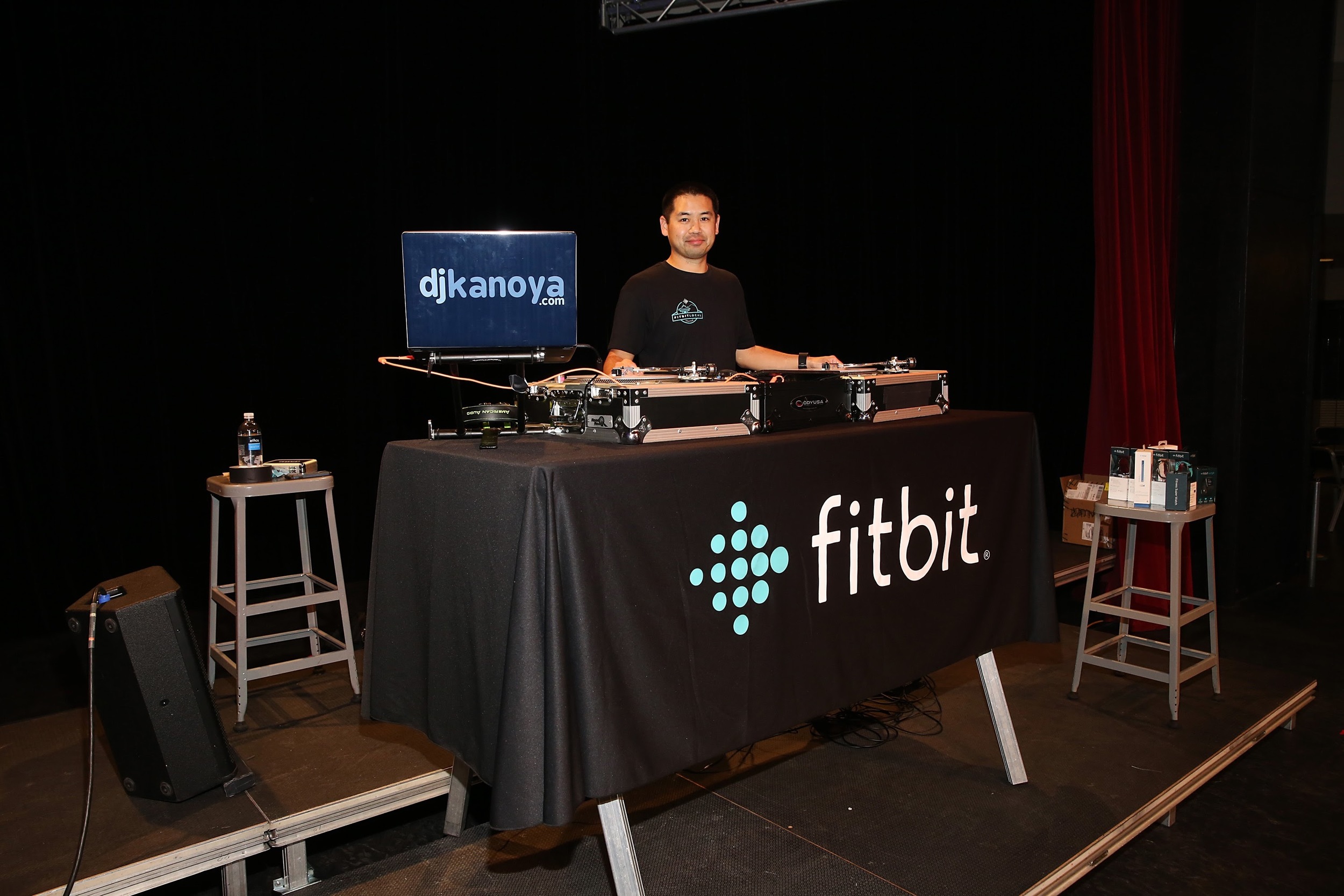
Justin Kanoya is a wedding, yoga and fitness DJ based in San Diego. He is also the official DJ for Fitbit events that take place all over the United States. 

Review of the Chauvet DJ Intimidator Wave IRC

The Intimidator Wave IRC from Chauvet DJ

Moving head light fixtures, the type with strong, bold color beams, are a sure fire way to upgrade a mobile DJ’s lighting show. But at the very minimum, moving heads work best in multiple units. One beam of colored light shooting around a ballroom is okay, but add another one, or two … or five?

However, hauling around several moving heads, along with its cabling, can get a bit cumbersome. Enter the Chauvet Intimidator Wave IRC from Chauvet DJ.  Today’s review takes a look at this compact, multiple moving head light fixture.

My complete review of this light fixture is available on Digital DJ Tips and the video is below.

Fitbit Local Seattle Launch - Seattle Center Armory

Free fitness comes to Seattle with monthly workouts sponsored by Fitbit

NOTE: Scroll to the bottom to see my Snapchat story of the event and the rest of this day. 

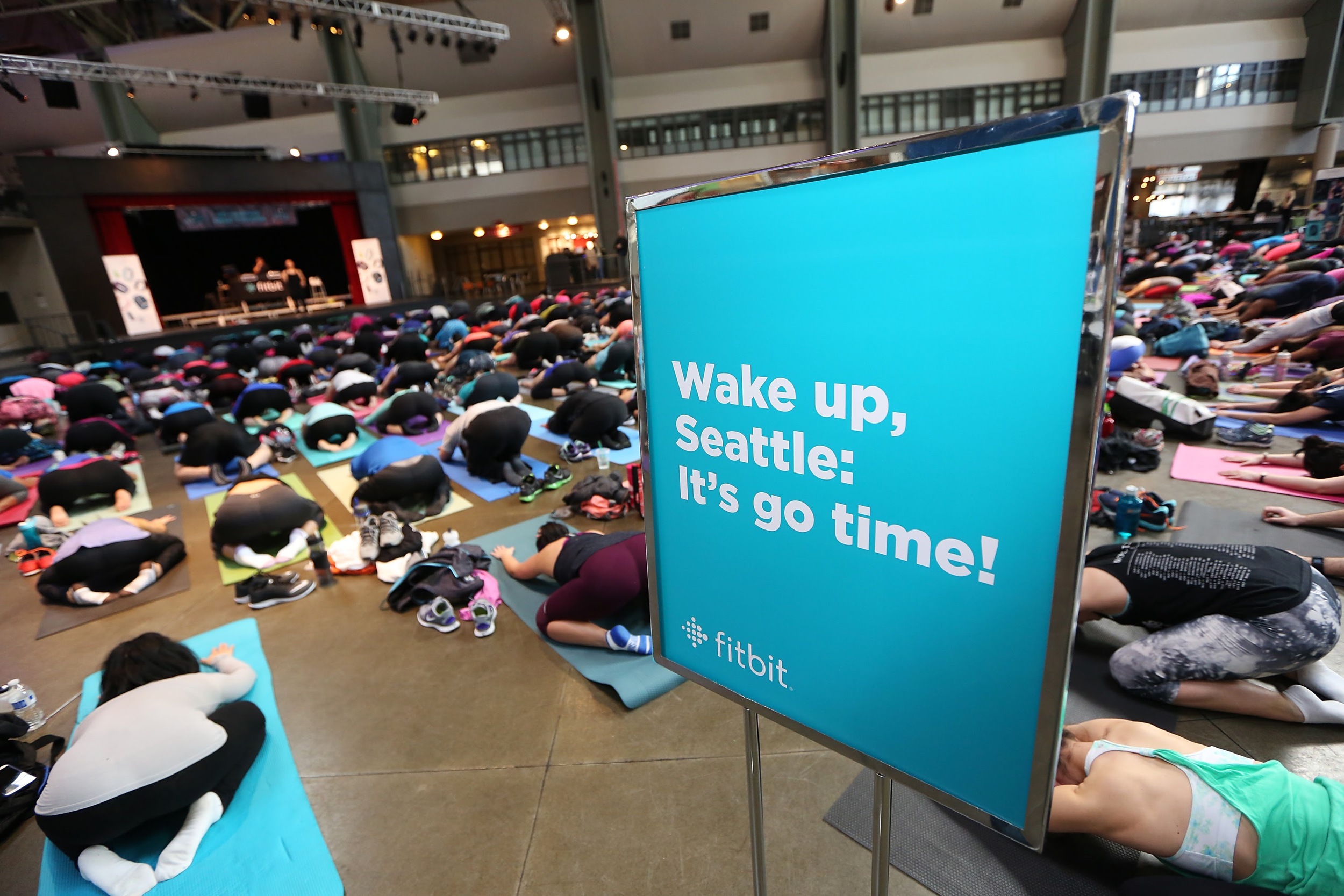
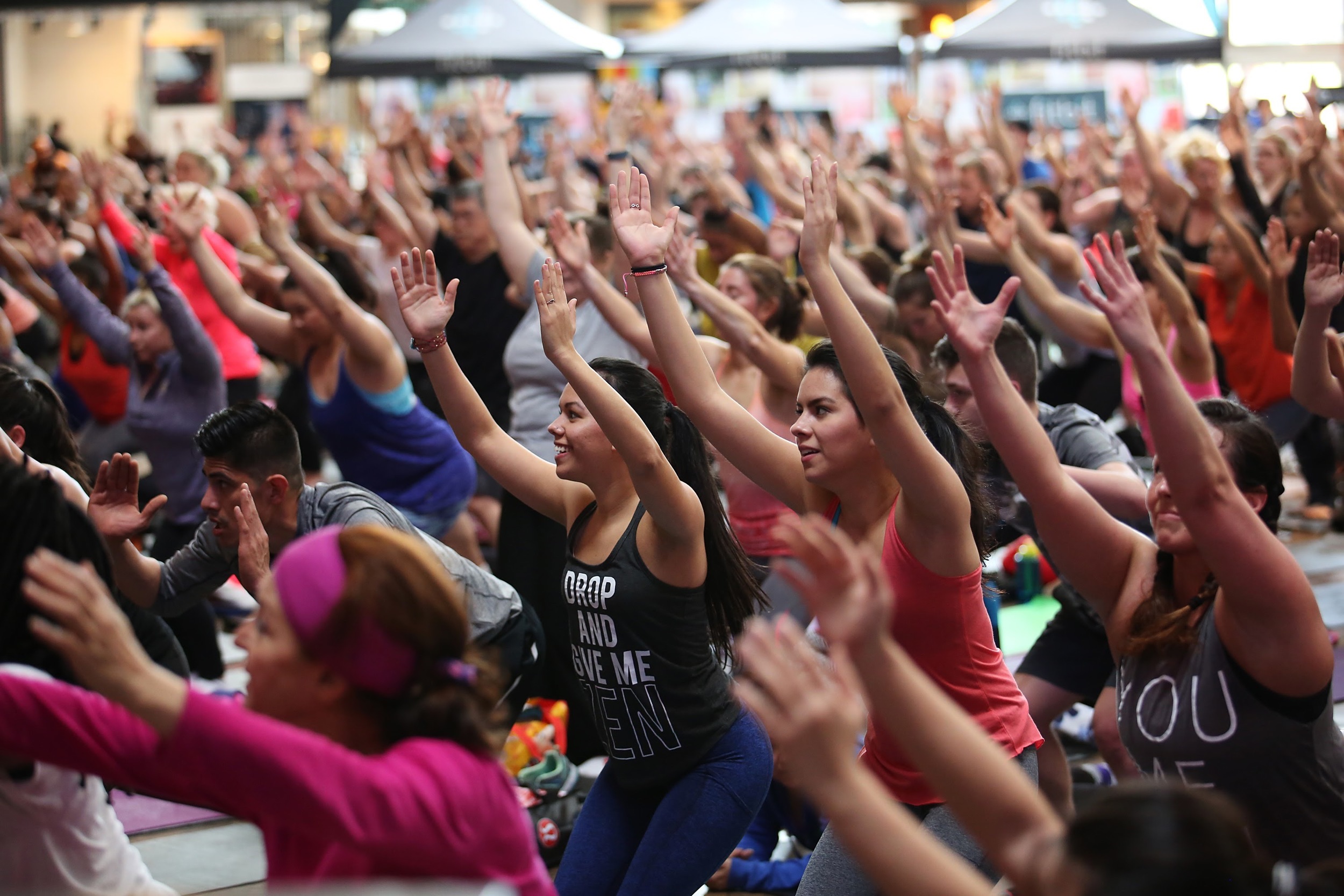
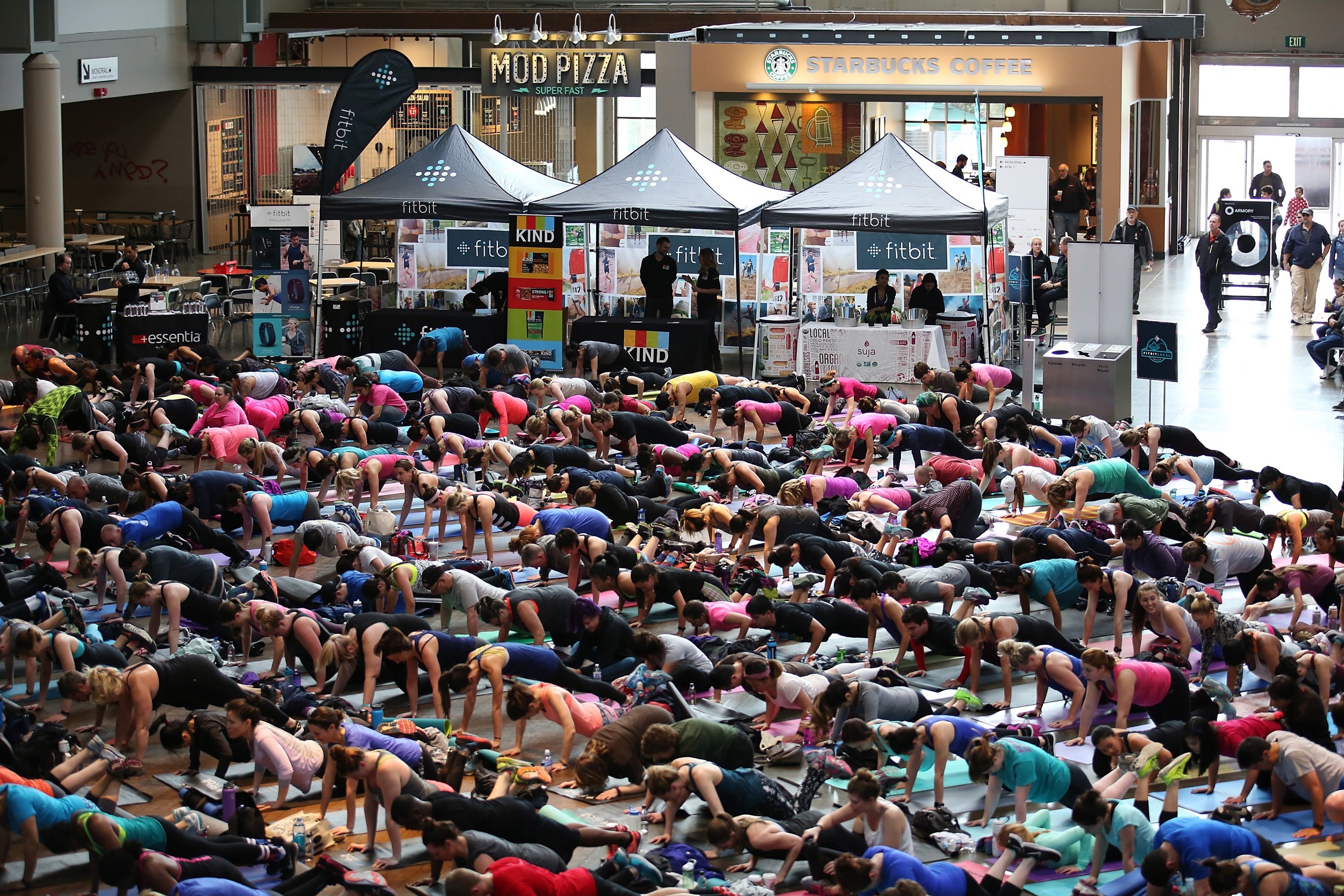
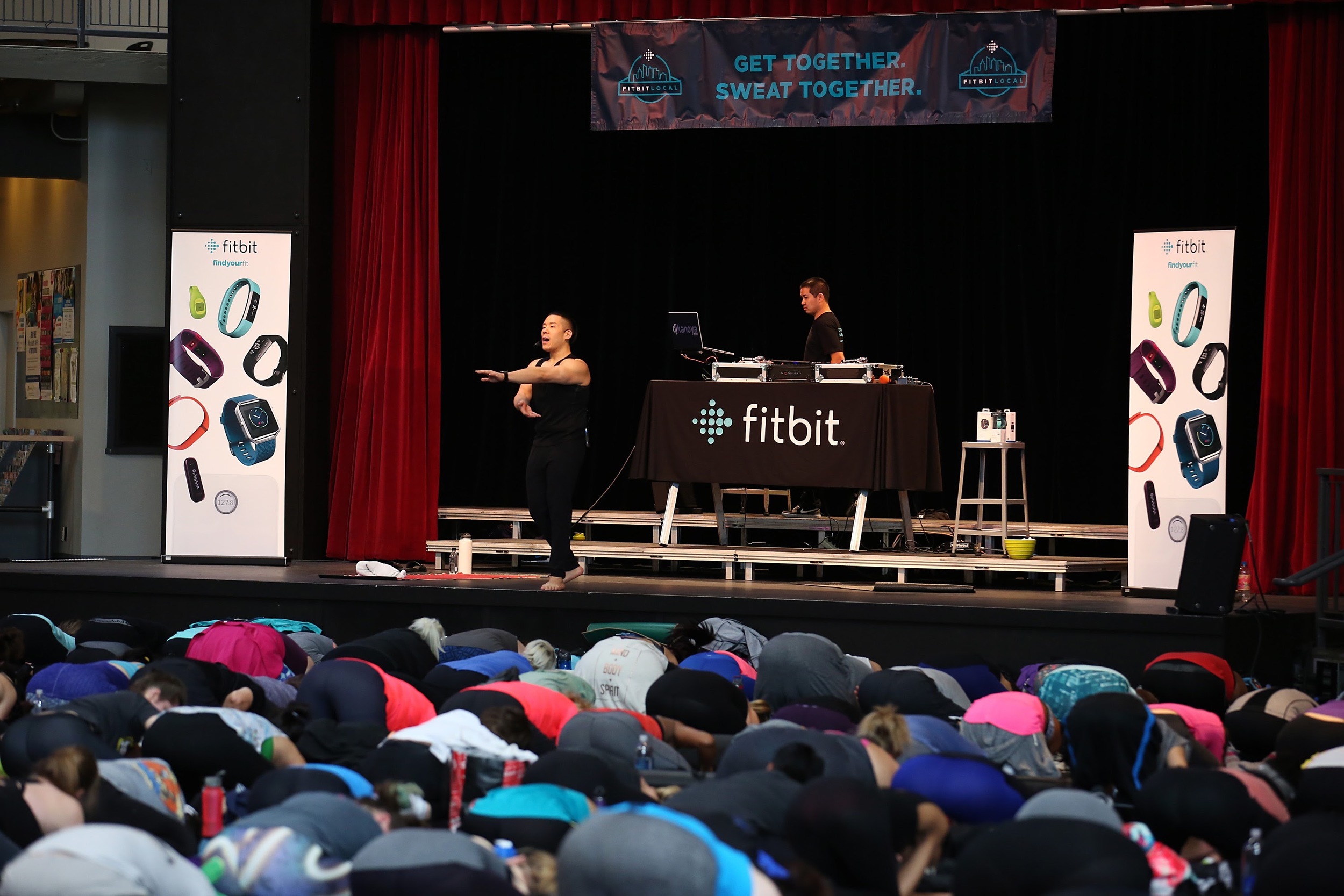
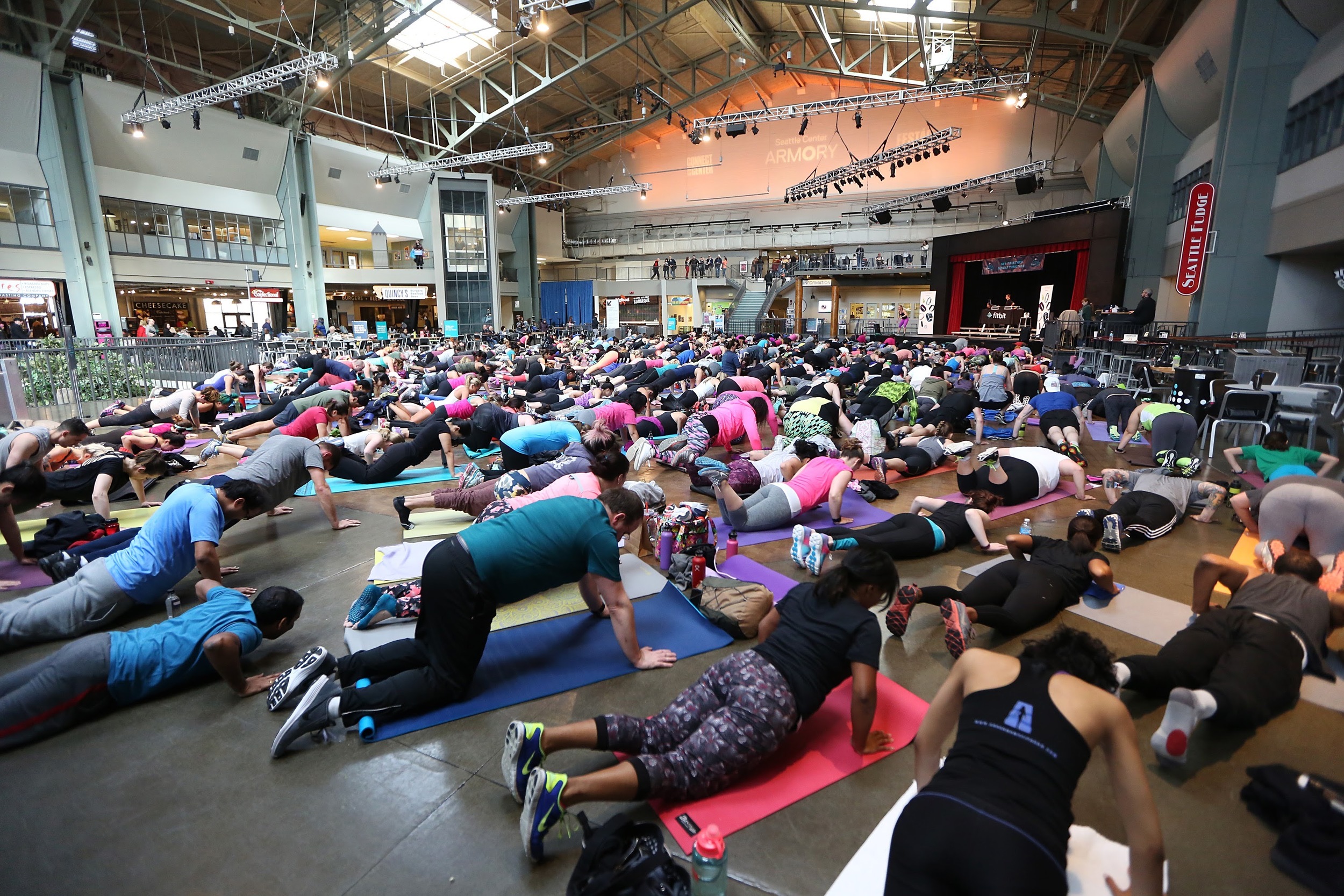
Fitbit Local Ambassadors Kaisa Keranen & Kevin Ng lead participants in a bootcamp and yoga workout as Fitbit Local Seattle launches with a free event at the Seattle Center Armory on March 26, 2016 in Seattle, Washington.

Fitbit Local Ambassadors Kaisa Keranen & Kevin Ng lead participants in a bootcamp and yoga workout as Fitbit Local Seattle launches with a free event at the Seattle Center Armory on March 26, 2016 in Seattle, Washington.

Fitbit Local Seattle ambassadors, Kaisa Keranen and Kevin N

Fitbit Local has now extended to a fourth city, Seattle. I’ve been so privileged to be a part of each one of these and can feel and see the events getting bigger and bigger each time.

The Fitbit Local program is a series of monthly meet ups to encourage Fitbit users to gather, mingle, exercise and sweat. It's currently underway in San Diego, San Francisco, Los Angeles and now Seattle.

The Seattle launch took place on March 26, 2016 at the Armory, located inside the Seattle Center. The Fitbit Local Seattle ambassadors are Kaisa Keranen and Kevin Ng. This pairing led a seriously sweat inducing workout, which in my opinion, was the hardest one to date. And the crowd of 500-plus took it like champs.

Kevin and Kaisa will be leading workouts throughout the coming months. Check out the schedule on the Fitbit Local website.

Here’s the setlist from the workout.

Arrivals

  • Kygo ft Conrad - Firestone (PeteDown Club Mix)
  • Lika Morgan - Hit Me
  • Cosmo Klein ft YNOT - When Doves Cry
  • Demi Lovato - Cool For The Summer (Suraci Radio Mix)
  • Corona ft AObeats - Rhythm Of the Night (Hotel Garuda Remix)
  • Years & Years - King (Intro Clean)
  • Mike Posner - I Took A Pill In Ibiza (SeeB Remix - Clean)
  • Avicii ft Zac Brown Band - Broken Arrows
  • Discotron - Disco Ballin'
  • Alesso - Heroes (Basic Tape Remix)
  • Mariah Carey - Emotions (Select Mix Remix)
  • De La Soul - Me Myself & I
  • Natalie La Rose f./Jeremih - Somebody (Promo Only Gazza Intro Edit)
  • Ella Henderson - Ghost (Oliver Nelson Remix)
  • Gwen Stefani - Make Me Like You
  • Walk The Moon - Shut Up And Dance (Select Mix Remix)


Boot Camp Workout with Kaisa Keranen

  • TLC - Creep
  • Notorious B.I.G. - Hypnotize
  • A Tribe Called Quest - Can I Kick It
  • Naughty By Nature - O.P.P.
  • Sir Mix-A-Lot - Jump On It
  • The Chainsmokers ft Rozes - Roses (The Him Remix)
  • Dillon Francis & Kygo ft James Hersey - Coming Over (Tiesto Remix)
  • Fifth Harmony ft Ty Dolla Sign - Work From Home (Ray Rhodes Remix)
  • DNCE - Cake By The Ocean (Riddler Remix)
  • Justin Bieber - Love Yourself (RENAIR Uptempo ReDrum Edit)
  • Marvin Gaye - I Heard It Through The Grapevine (Dustycloud Remix)
  • Adele - When We Were Young (DiscoTech 2AM Radio Edit)
  • Kygo ft Parson James - Stole The Show (Half & Half Remix)
  • The Weeknd - In The Night (PeteDown Club Mix)
  • Selena Gomez ft ASAP Rocky - Good For You (DJ Buddha Remix)

Yoga Flow with Kevin Ng

  • The Weeknd - Echoes Of Silence
  • Sia - Cellophane
  • JMSN - Alone (Kastle Remix)
  • Nick Jonas - Chains
  • Kanye West - Love Lockdown
  • Celine Dion - My Heart Will Go On
  • Various - COL vs. BSB
  • Elton John - Can You Feel The Love Tonight
  • Jason Mraz - A Beautiful Mess

Post Workout

  • Allen Stone - Your Eyes
  • Mutya Buenya - Real Girl
  • Paul Dateh - Good Life
  • Craig David - Officially Yours
  • Anuhea - Higher Than The Clouds
  • Colbie Caillat - Turn Your Lights Down Low

A collection of Snaps from my Fitbit Local Seattle event and my journey back home to San Diego.