Using Folders Within Virtual DJ - Tips & Tricks

Deciphering the differences between Filtered, Favorite and Virtual folders in Virtual DJ
Perhaps the most important feature of any DJ software is the potency of its file management system. Yes, you can always search for a track you need, but that’s not how DJs work. Many times I have a song in mind based off what I am currently playing; a certain genre, tempo, artist, etc. It’s at these times that it’s nice for me to see a list of related songs to give me an idea of what I want to play next.

The folder system within Virtual DJ is extremely powerful and when used correctly is truly the powerhouse of my workflow.

Folder Types: Virtual vs. Filtered vs. Favorite
Before diving into the organizing of your music within VDJ, it’s important to understand the difference between the three folder types within the program. They each serve a specific purpose and have certain advantages depending on their use.

All of these folders are essentially “baskets” that we can place our music into. So I’ll use this analogy as I describe the differences below.

Favorite Folders
Favorite folders are a way to ensure a specific folder within your computer's folder structure shows up directly in the Virtual DJ browser. This is helpful if you have a folder of music files that is buried a few layers down in a file structure and you only want that one folder to display. Rather than seeing, for instance, four layers of folders, you can see just the one.

This is better understood by looking at this screen capture.

The 20 Good Vibrations Beach Boys album is nested three levels down in this file structure. Assigning it as a favorite would put in right within the VDJ browser without having click down so many levels. 

Creating a virtual folder titled "Promo Only" enables me to keep my collection of Promo Only favorite and filtered folders in once place. 

Virtual Folders
A Virtual Folder is just like a basket and works similarly to the folder structure on a PC. Virtual Folders are created when you want to organize other folders you have created within VDJ.

For example, let’s say you have folders sorted with three types of dance music. Those folders are labeled, House, Nu Disco and Electronica. To keep things tidy, I would create a Virtual Folder titled “Dance” and then drag those three other folders into them.

In the example shown, my system has several Promo Only folders and I created a "parent" folder to house all of the "child" folders. 

A Virtual Folder is useful if you need a handful of specific tracks at the ready for a gig ... for instance, the key songs needed during a wedding. 

You can also use Virtual Folders as a file management tool, such as keeping all the tracks of a particular artist into a folder. However, keep in mind that virtual folders only change if you alter them. So if you created, for instance, and Adele folder on Monday, but add more Adele tracks to your database on Tuesday, that folder would need to be manually updated.

Is there a way to have that folder update on its own? Absolutely, and that's the perfect segue way to a little thing called, Filtered Folders.

Filtered Folders
This folder type is truly the workhorse of my system. Between my subscription based releases from Promo Only, BPM Supreme and Select Mix; my own music collection and other random music I may pick up digging through $1 bins at the store, I have a lot of music that gets dumped into system. It’s nearly impossible to know where everything is and certainly would be a major headache if you physically had to sort, drag and drop into Virtual Folders.

You could be the most advanced digital organizer and it would still take hours to sort music files within your computer folder system.

Imagine the basket example from earlier and having 20 baskets in front you, all representing a specific genre of music. You’ve just been given 150 music files to sort and drop into each basket. First you need to see what genres each one of those tracks are and then drag them to a specific folder.

You drag hip-hop to its respective folder. Then you drag rock to its folder, and so on and so forth. This would be tedious and take a lot of time. Further, if you were doing this sorting just within your hard drive, that one track would show up in that folder and nowhere else.

Filtered Folders not only does the sorting for you, but it enables you a seemingly infinite number of ways to sort music. In short, it’s amazing.

As I mentioned above, a lot of times when I am DJing I’ll be in a certain genre and I want to see what my options are within that genre. Within VDJ, I have genres such as 2015 Top 40, 2013 Dance, House 2014, etc. All of these are Filtered Folders and the music automatically shows up in those folders based on specific criteria.
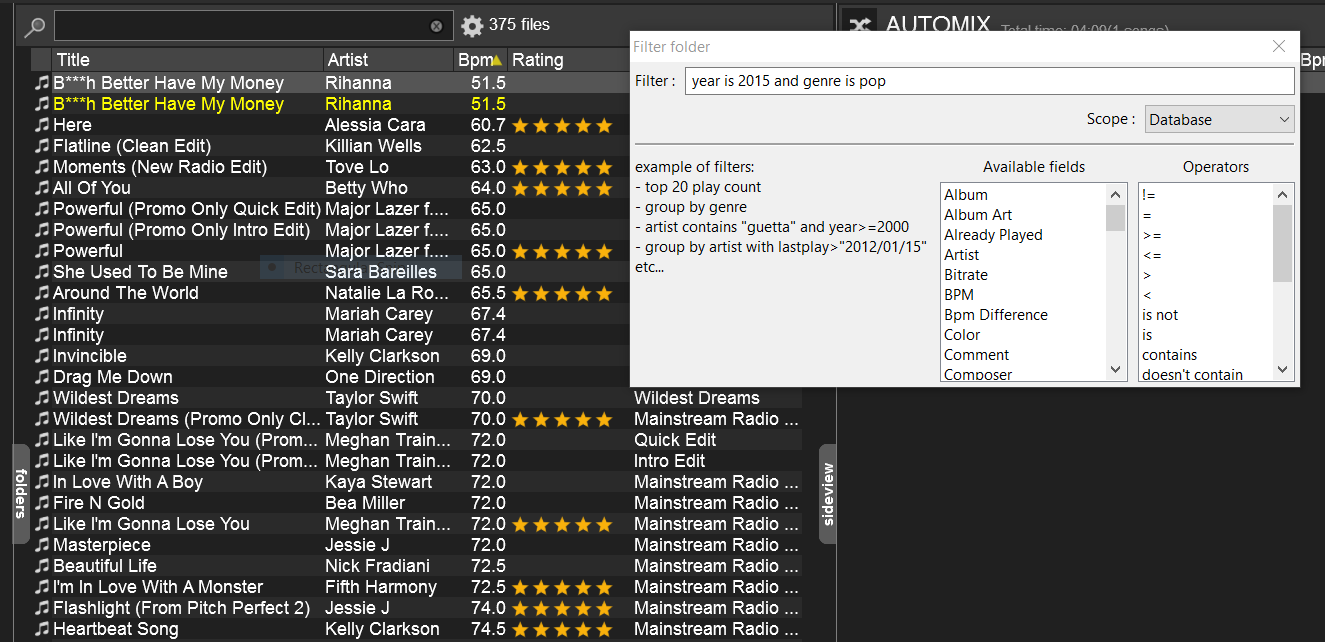
Filtered Folders within Virtual DJ act like assistant you always wish you had. 

How does this all happen? It’s through the magic of assigning a specific script you want to each folder. I know the word “script” can be a bit scary as it relates to a computer program, but it is not as difficult as it sounds.

Let’s say you want to create a filtered folder of 2015 pop songs. To do this, you click on the blue filtered folder icon to create a new filtered folder, give it a name (whatever you like, but 2015 Pop would be more than appropriate) and then proceed to the script screen. You then type in the criteria based on your needs. The script for this example would be: “year is 2015 and genre is pop.” Click “ok” and you will see that folder populate with all songs that are tagged with the year 2015 and a genre of pop.

As you add additional music files with those same tags, the folder will continue to populate and grow without you having to lift a finger.

Filtered Folders are so powerful that you can include criteria in a script to eliminate certain tracks. Taking the above example, let’s say you want 2015 hip-pop songs but do not want songs that have explicit lyrics to show up in the folder. If you’ve tagged those particular songs with the word “explicit” in the title, the script would be:

“year is 2015 and genre is pop and title doesn’t contain “explicit.”

This results in having a filtered folder of 2015 pop songs unless the word “explicit” is within the title.

A plug-in that is available to VDJ Pro Users was created called My Library. This has a host of Filtered Folders that someone else has already created and thus finished a lot of the legwork for you. I highly recommend installing it. 

Tag You’re It
Filtered folders will only be effective if your music files are tagged properly and have a consistent naming convention. It’s best to decide on how you will assess certain genres i.e. is “pop” going to be “mainstream” or is mainstream going to be “pop.” You could possibly do both and create a filtered folder to look for both, but in general it’s easier to keep it to one specific genre.

While you can batch tag files in VDJ, there are also many third party programs that do a great job tagging and renaming your files. Coincidentally I use a program simply called, Tag & Rename. It is a great program that enables you to tag several files, as well as rename them, all at once.

Conclusion
Folders within Virtual DJ are an effective way to manage your music files. Add in the fact that there is so much it can do in the background and you’ve got a robust music management system. This ultimately will make you a better DJ as you can concentrate on your mix and keep your focus on the dance floor and not have to stress as you try and navigate through an unorganized file structure.

What are some of your folder management tips? What are some of the ways you use filtered folders? Let me know in the comments below and be sure to check out this informative video from VDJ's own Adam Whytall.

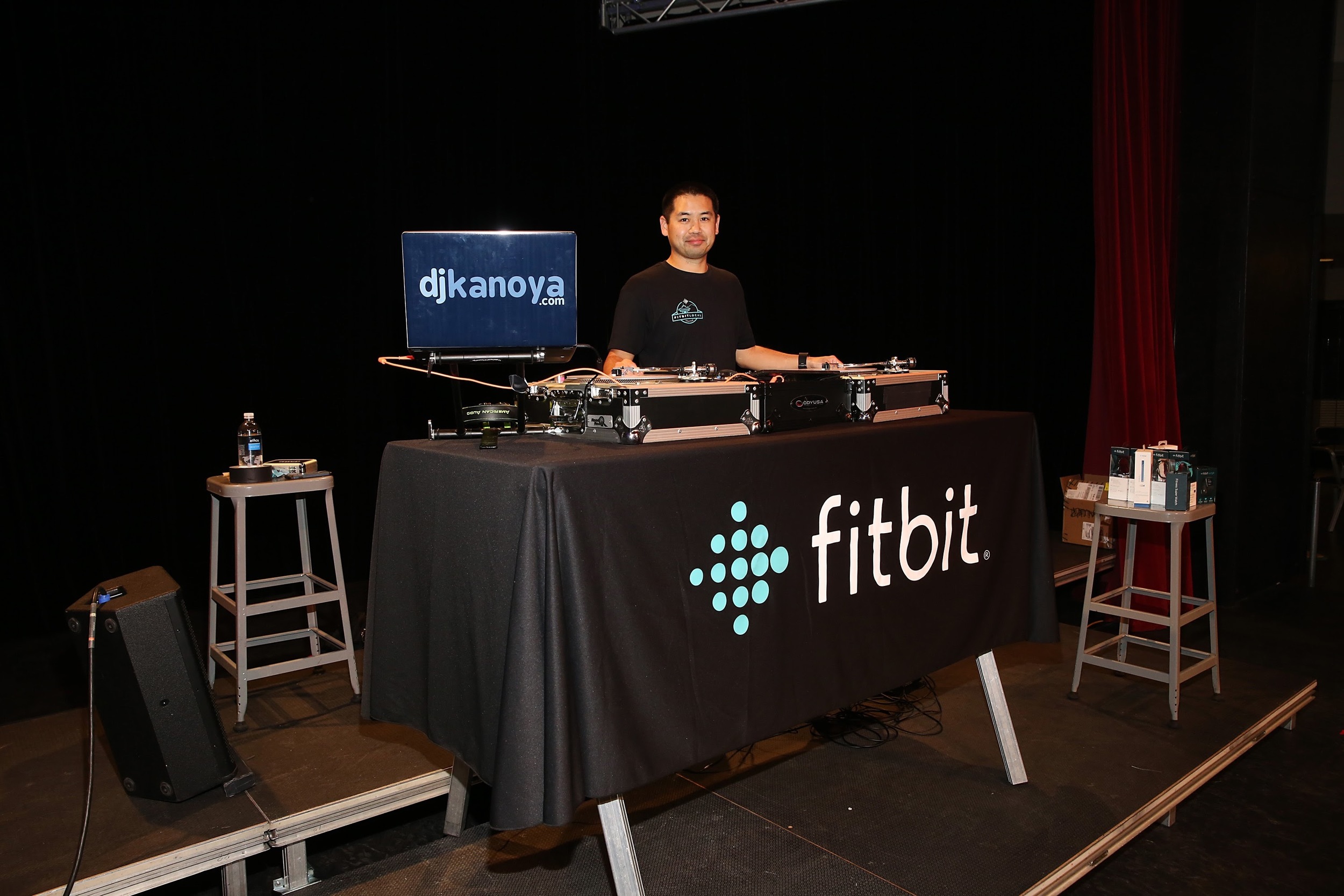
Justin Kanoya is a wedding, yoga and fitness DJ based in San Diego. He is also the official DJ for Fitbit events that take place all over the United States. 

Review of the Chauvet DJ Intimidator Wave IRC

The Intimidator Wave IRC from Chauvet DJ

Moving head light fixtures, the type with strong, bold color beams, are a sure fire way to upgrade a mobile DJ’s lighting show. But at the very minimum, moving heads work best in multiple units. One beam of colored light shooting around a ballroom is okay, but add another one, or two … or five?

However, hauling around several moving heads, along with its cabling, can get a bit cumbersome. Enter the Chauvet Intimidator Wave IRC from Chauvet DJ.  Today’s review takes a look at this compact, multiple moving head light fixture.

My complete review of this light fixture is available on Digital DJ Tips and the video is below.

Fitbit Local Seattle Launch - Seattle Center Armory

Free fitness comes to Seattle with monthly workouts sponsored by Fitbit

NOTE: Scroll to the bottom to see my Snapchat story of the event and the rest of this day. 

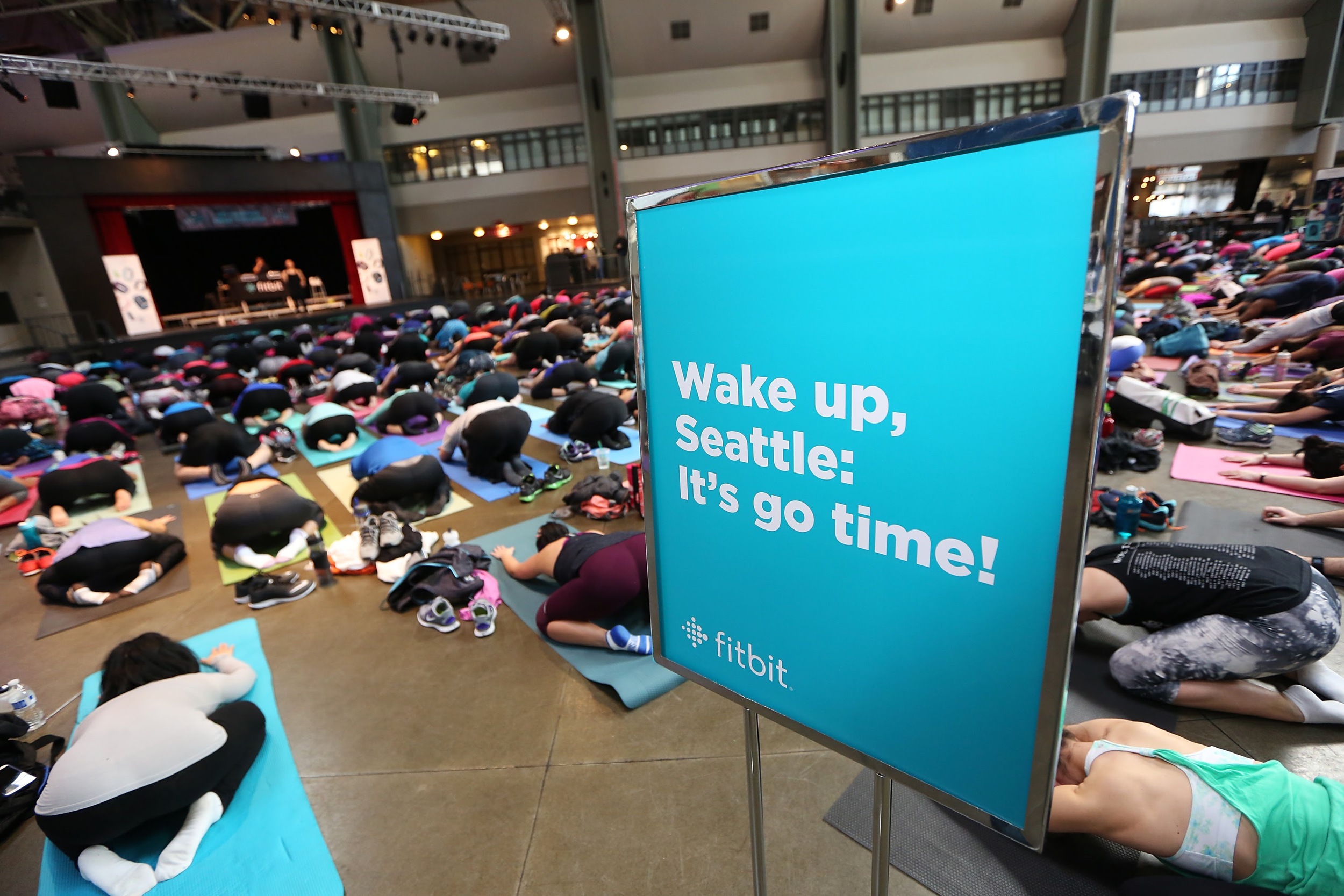
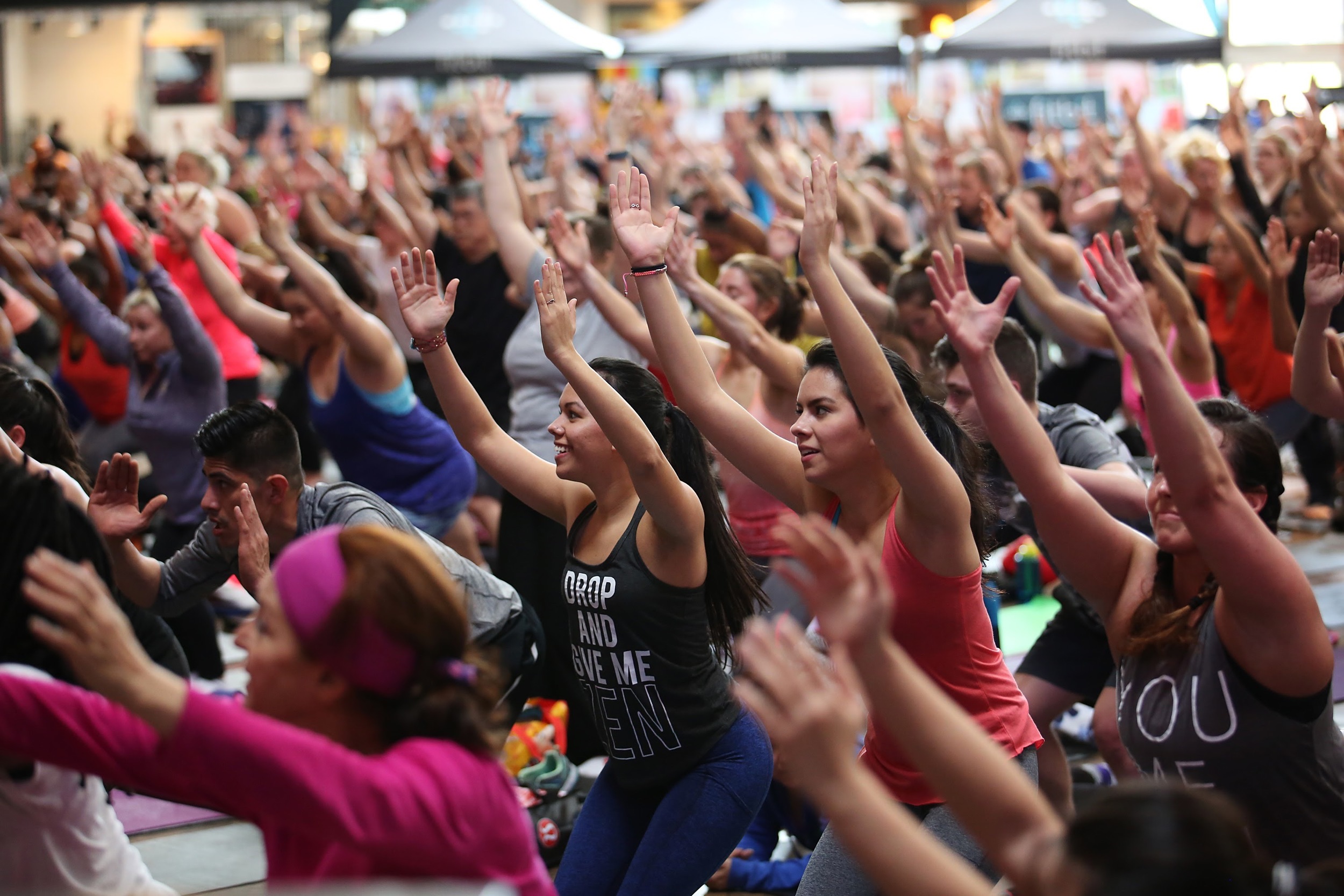
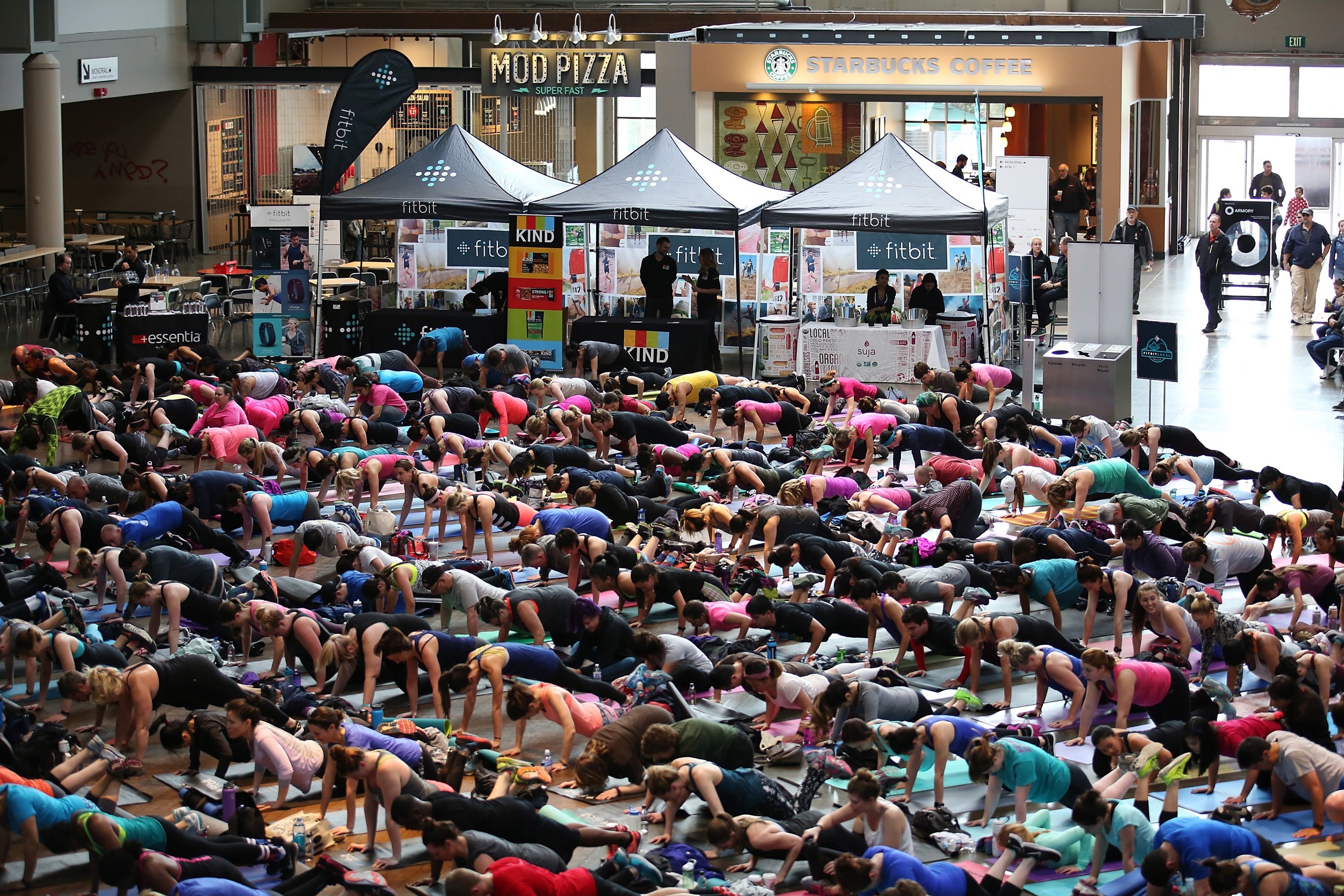
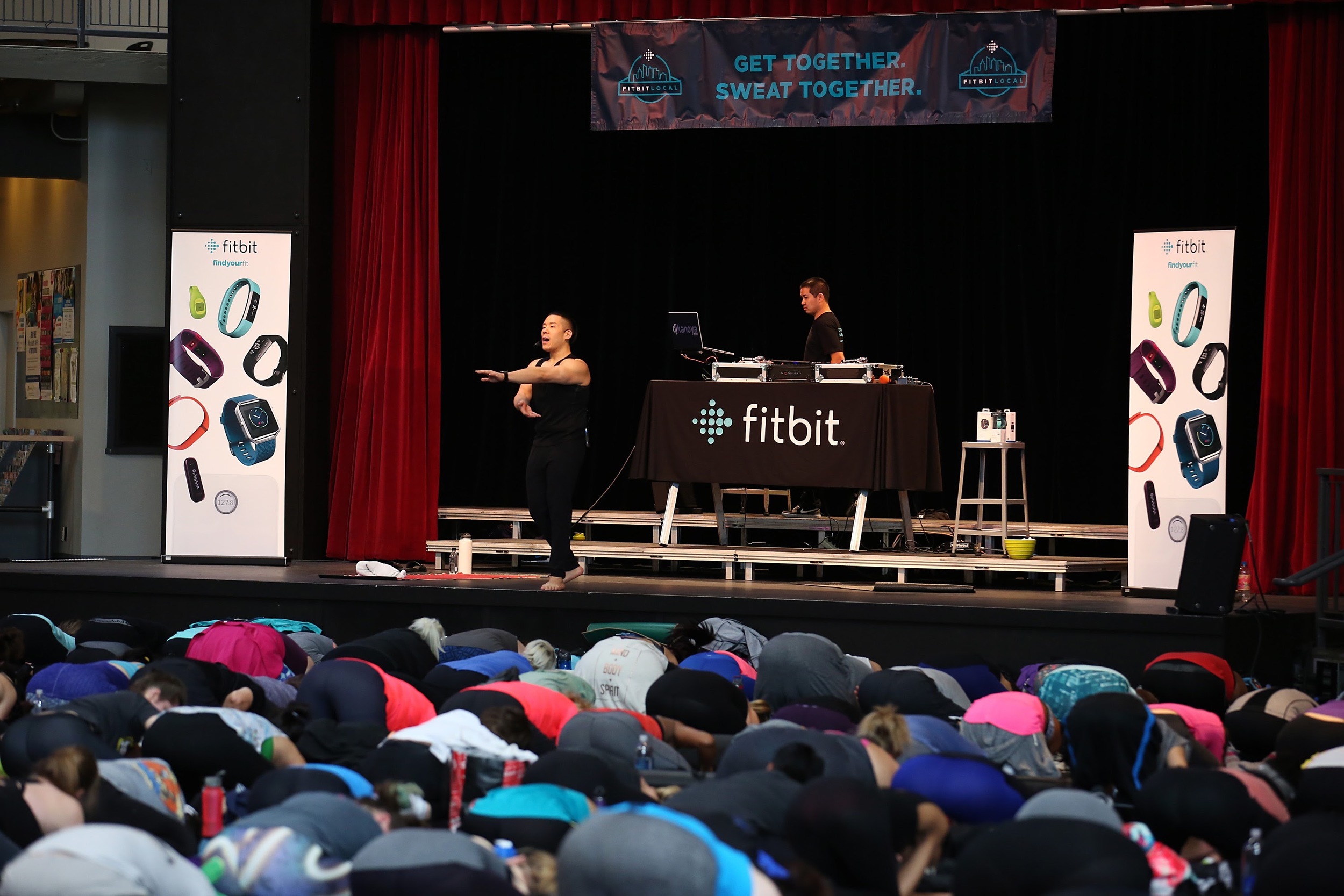
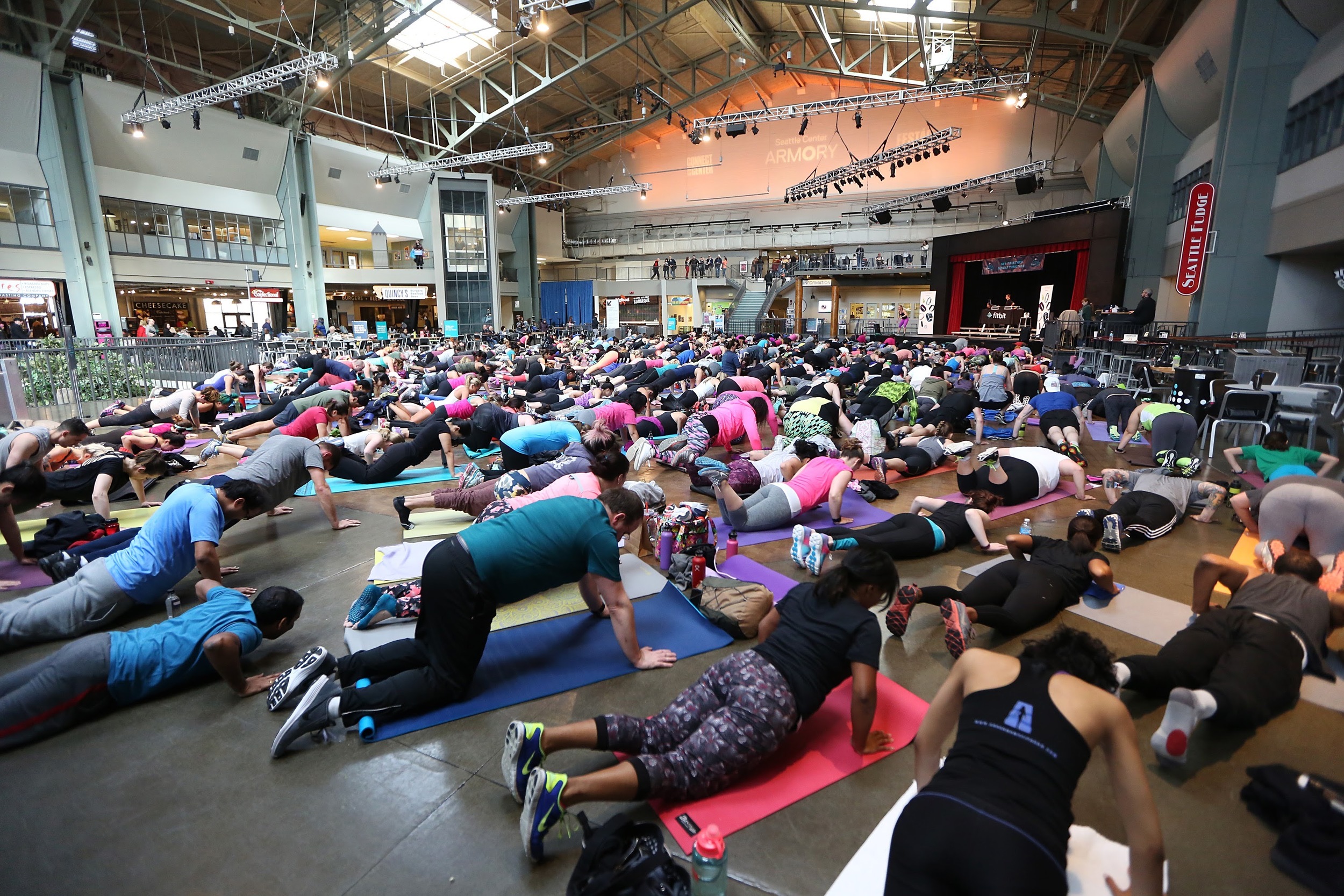
Fitbit Local Ambassadors Kaisa Keranen & Kevin Ng lead participants in a bootcamp and yoga workout as Fitbit Local Seattle launches with a free event at the Seattle Center Armory on March 26, 2016 in Seattle, Washington.

Fitbit Local Ambassadors Kaisa Keranen & Kevin Ng lead participants in a bootcamp and yoga workout as Fitbit Local Seattle launches with a free event at the Seattle Center Armory on March 26, 2016 in Seattle, Washington.

Fitbit Local Seattle ambassadors, Kaisa Keranen and Kevin N

Fitbit Local has now extended to a fourth city, Seattle. I’ve been so privileged to be a part of each one of these and can feel and see the events getting bigger and bigger each time.

The Fitbit Local program is a series of monthly meet ups to encourage Fitbit users to gather, mingle, exercise and sweat. It's currently underway in San Diego, San Francisco, Los Angeles and now Seattle.

The Seattle launch took place on March 26, 2016 at the Armory, located inside the Seattle Center. The Fitbit Local Seattle ambassadors are Kaisa Keranen and Kevin Ng. This pairing led a seriously sweat inducing workout, which in my opinion, was the hardest one to date. And the crowd of 500-plus took it like champs.

Kevin and Kaisa will be leading workouts throughout the coming months. Check out the schedule on the Fitbit Local website.

Here’s the setlist from the workout.

Arrivals

  • Kygo ft Conrad - Firestone (PeteDown Club Mix)
  • Lika Morgan - Hit Me
  • Cosmo Klein ft YNOT - When Doves Cry
  • Demi Lovato - Cool For The Summer (Suraci Radio Mix)
  • Corona ft AObeats - Rhythm Of the Night (Hotel Garuda Remix)
  • Years & Years - King (Intro Clean)
  • Mike Posner - I Took A Pill In Ibiza (SeeB Remix - Clean)
  • Avicii ft Zac Brown Band - Broken Arrows
  • Discotron - Disco Ballin'
  • Alesso - Heroes (Basic Tape Remix)
  • Mariah Carey - Emotions (Select Mix Remix)
  • De La Soul - Me Myself & I
  • Natalie La Rose f./Jeremih - Somebody (Promo Only Gazza Intro Edit)
  • Ella Henderson - Ghost (Oliver Nelson Remix)
  • Gwen Stefani - Make Me Like You
  • Walk The Moon - Shut Up And Dance (Select Mix Remix)


Boot Camp Workout with Kaisa Keranen

  • TLC - Creep
  • Notorious B.I.G. - Hypnotize
  • A Tribe Called Quest - Can I Kick It
  • Naughty By Nature - O.P.P.
  • Sir Mix-A-Lot - Jump On It
  • The Chainsmokers ft Rozes - Roses (The Him Remix)
  • Dillon Francis & Kygo ft James Hersey - Coming Over (Tiesto Remix)
  • Fifth Harmony ft Ty Dolla Sign - Work From Home (Ray Rhodes Remix)
  • DNCE - Cake By The Ocean (Riddler Remix)
  • Justin Bieber - Love Yourself (RENAIR Uptempo ReDrum Edit)
  • Marvin Gaye - I Heard It Through The Grapevine (Dustycloud Remix)
  • Adele - When We Were Young (DiscoTech 2AM Radio Edit)
  • Kygo ft Parson James - Stole The Show (Half & Half Remix)
  • The Weeknd - In The Night (PeteDown Club Mix)
  • Selena Gomez ft ASAP Rocky - Good For You (DJ Buddha Remix)

Yoga Flow with Kevin Ng

  • The Weeknd - Echoes Of Silence
  • Sia - Cellophane
  • JMSN - Alone (Kastle Remix)
  • Nick Jonas - Chains
  • Kanye West - Love Lockdown
  • Celine Dion - My Heart Will Go On
  • Various - COL vs. BSB
  • Elton John - Can You Feel The Love Tonight
  • Jason Mraz - A Beautiful Mess

Post Workout

  • Allen Stone - Your Eyes
  • Mutya Buenya - Real Girl
  • Paul Dateh - Good Life
  • Craig David - Officially Yours
  • Anuhea - Higher Than The Clouds
  • Colbie Caillat - Turn Your Lights Down Low

A collection of Snaps from my Fitbit Local Seattle event and my journey back home to San Diego. 

In My Own Words: A Guest Spot on the Dreamchasers Podcast

Justin Kanoya, a DJ based in San Diego, California. PHOTO CREDIT: Arash Afshar

DJ Justin Kanoya (on right) with Dreamchasers podcast host, Lucas Armando.

DJ Justin Kanoya (on right) with Dreamchasers podcast host, Lucas Armando.

I had the opportunity to guest with Lucas Barra on his podcast, Dreamchasers. It is an audio stream that gives ambitious millennials the tools, resources and inspiration to take their lives to the next level.

Oh, and B-T-W, I am not millennial (despite my use of BTW). But hopefully I can inspire a few.

The uninterrupted interview, in both video and audio form, is at the bottom of this post. Also, the original post is on Lucas' website

Since this is a rather lengthy interview -- nearly 50 minutes -- and we hit a wide range of topics, I divided it up for you to digest at your leisure. If you’ve ever wondered about my career path and what has motivated me to make my current life decisions, have a listen.

1. Beginning of a Career
Growing up I wanted to work for two companies. By the age of 25 I realized that dream and worked for both. And it ended up being a bad thing, sort of.

From Beckett Publications to Upper Deck to the Port of San Diego to DJing, this is my career path since 1995 explained in six minutes.

2. Jumping Industries
After seven years in the sports collectibles industry, I moved into local government. Yes, it’s as weird as it sounds. Then I got married, started raising a daughter and fell into a state of complacency.

3. Becoming a DJ Again
Simultaneous to my new job at the Port of San Diego, I got back into DJing, something I did in high school and college. It was a side job that flourished for the first few years. However, as increased responsibilities were introduced both at work and at home, I saw my DJ business slowly decline.

It was time to decide where to focus my energy.

4. Are You Just Existing?
Are you paying attention to the messages that may be calling you to something different? I finally started paying attention to those signs and that’s when things started to become more clear.

One of those signs was very clear when I started to DJ for Lululemon and getting to know their ambassadors and employees on a personal level. I discovered there was a better life to create and once I create it, I can be filled with work I enjoy.

5. The Little Blog That Started It All
Here’s a little more about how 1,000 words about my journey and a thank you to Lululemon led me to a whole new world of DJing.

I also talk about how upon hearing what inspired Helen Cloots to become a yoga teacher, in part, inspired me to a life as a full time DJ.

6. Taking The Leap
There were key indicators that made me begin to think about creating a different life for myself. What were those? And how will you identify them when they come around?

“Our life is as easy as it is going to get right now, at this very moment.”

Because of this, we truly need to commit to our decisions now.

7. When Waiting Is A Good Thing
I readily admit that waiting to make such a major life decision is not ideal. If you can do it now, then do it now.

But there is an advantage to waiting is gaining more professional experience in your current situation.

I’ve been fortunate to work with major corporate brands and lately have been DJing many evets for Fitbit. I know it’s my experience in a structured environment has given me the skills and demeanor to ensure relationships like those continue to flourish.

8. Go Whole Ass
The idea to commit to one career path is important for you. But it’s probably even more important for the people around you … your co-workers, your clients and customers.

Like Ron Swanson says, “never half-ass two things. Whole-ass one thing.”

9. Sharpen The Saw
When does a hobby become a career path? If it’s something that you want to continually improve at for the benefit of others, then it’s probably something you should think about putting your all into. The moment you no longer want more responsibility is the moment you need to recognize it’s time to move on.

10. Commit To Your Dream
You must commit, but realize it does not mean a complete 180 degree turn in your life. It doesn’t have to be that you quit your job, sell all you possessions and move to Bora Bora. Perhaps you are just looking to manage a team at work, or work in a different department. If that’s your version of a dream, then let it be known and chase that.

11. Define The Dream
Discover what your purpose is, right now and work toward that. Discover your strengths and surround yourself with people that will enable you to play to those strengths.


Complete Interview

Five Tips To Ensure You Give The Perfect Wedding Toast

The wedding couple will be intently listening, so be prepared to give the perfect wedding toast.

As a wedding DJ in San Diego I have served as the master of ceremonies at more than 300 weddings since 2002. Generally speaking, every wedding has at least two toasts, one from the best man and one from the maid of honor. Add in a parent speech or two, and it’s not too far off of an estimate that I have sat through nearly 1,000 speeches.

If I had to assess a movie title to the type of wedding toasts and speeches I’ve heard, it would most certainly be, “The Good, the Bad and the Ugly.”

If you’ve been asked to speak at a wedding -- such as being the best man or maid/matron of honor -- the purpose of this article is to provide a few tips to make that process a little easier. Because after sitting through 1,000 wedding toasts, I’m hoping I can help your speech end up in the “good” category  and stay clear of the “bad” and most certainly “ugly.”

1. Familiarize yourself with where you will be speaking, as in the actual location where you will be standing
If you’ve never spoken to a group of 100-plus people -- and that’s the majority of people I’ve come across -- it’s always good to get a sense of what your vantage point is going to be before the room is dead quiet and 100 pairs of eyes are staring at you.

Find out ahead of time where you will be standing for the toast, so you're not caught off guard when it's "go time."

As the primary MC, I am addressing the audience in various locations throughout the night. But as a general rule, for the actual “champagne toast,” “best man toast,” “maid of honor toast,” etc., I make sure to place the speaker near the couple.

This placement will depend on the type of seating arrangement too.

  • Couple sitting at “sweetheart table”: This type of seating, where only the newly wedded couple are seated, tends to be the focal point of the room. Standing near the table, on the side of the person you are toasting (i.e. best man toasting the groom) is recommended.
     
  • Couple sitting in the middle of a large “head table”: This set-up can be difficult if the table is real long (wide). Most of the time, the toaster is usually right next to the couple, so it’s easy to stand up from the table and speak. If the toaster is not sitting with or near them, then I recommend taking a similar position next to them.

    Avoid standing on the opposite side of the table, because this will likely result in having your back to the guests or the couple.
     
  • Couple sitting among all guests: This seating arrangement is becoming more common because it allows the couple to sit with everyone and not be showcased at a single table. The table they are sitting at will likely be near the dance floor. This makes the dance floor a natural place to stand since you can face both the couple and the guests.

Understandably it can also be one of the most nerve wracking positions because you’ll have that “I’m on stage and everyone is staring at me feeling.”

Yes, you will have nerves, but keep reading for some tips to help alleviate some of them.

2. Understand proper microphone technique: 
Grab a microphone, speak. Seems pretty easy right? Technically, yes, it’s easy. But there are a few things to keep in mind.

Project your voice. Just because you are speaking into a microphone does not mean you should speak softer. In fact, you should speak a little louder since a large group of people are listening to what you are saying. Think of it as an amplified conversation. My suggestion is to assume you don’t have a mic, speak at that volume (without yelling) and project your voice.

Perfect microphone technique shown here. Hold it right in the middle and place it close to the mouth.

Kiss the mic. When speaking, place the microphone almost to the point that you are about to kiss it. Do not hold it down by your waist or at your chest. Lift and place it near your mouth.

Yes, it’s on. Any seasoned professional MC, DJ, sound guy should be handing you a “hot mic.” You should not have to worry about turning it on or off, or asking “is this thing on,” and please do not slap the top of the mic. I will never understand why people do this.

I always mute the microphone before I had hand it to the person about to speak (unless they are immediately going to speak). I control “on/off” from my mixing board so it’s on when it needs to be, and most importantly, off when it needs to be.

3. Spend time before the wedding preparing your speech:
Remarkably, I’ve handed a microphone off to people that have literally asked, “what am I supposed to say.” You’ve just been given the honor to say a few words and toast a newly wedded couple … and unless they have just asked you prior to having a microphone handed to you, you owe them a little investment in your time in preparing a speech.

Preparation will be different for everyone. It could be some scribbled notes, or full on speech writer, rehearsing in front of a mock audience. Either way, you know what you will need to do, just be sure to do it.

Speaking of the speech ... 

4. Keep it brief and have a beginning, middle and end: 
You know what happens when you do not prepare and just “wing it?” You end up with a speech that just rambles, lacks cohesion and ensures that the people listening will stop listening.

The foundation of a good speech is always having a beginning, middle and end. An ideal template would go like this:

BEGINNING

  • Introduce who you are and your relation to the couple
  • Acknowledge those in attendance, particularly family members of the couple

MIDDLE

  • Go into an anecdote about the person in the couple you are closest too. This would likely be the person who asked you to speak, i.e. bride if you are the maid of honor.
  • Start wrapping up this section by sharing something about the couple. This provides a segue to your conclusion.

END

  • Acknowledge how happy you are for them, this day and being given the honor of delivering this speech.

Which brings me to my last tip. You’re almost done you just need to ….

5. Always end by congratulating the couple and asking everyone to raise their glass: 
I can’t believe how many people finish their speech, exchange hugs with the couple and just sit down? I know, there is a relief to finally be “done,” but don’t forget the most important part of the toast … THE ACTUAL TOAST.

Don’t forget to say those words … “If you would all please raise your glasses …”

Don't forget at the end of the speech to do as Pink says, "raise your glass."

You’re done. Follow these tips and be firmly planted in the “good” wedding speech file.

And best of all ... now you can go have a drink.

Note: Thank you for Cate Batchelor Photography for the awesome toasting photos shown in this article. 

Other Posts You May Be Interested In